
Pitch & Location Calls
Build the pitch and location instruction that fits the current situation.
Features
LOCKED IN brings game-day communication, play calling, team coordination, scouting, and decision support into one coaching workflow built specifically for fastpitch softball.
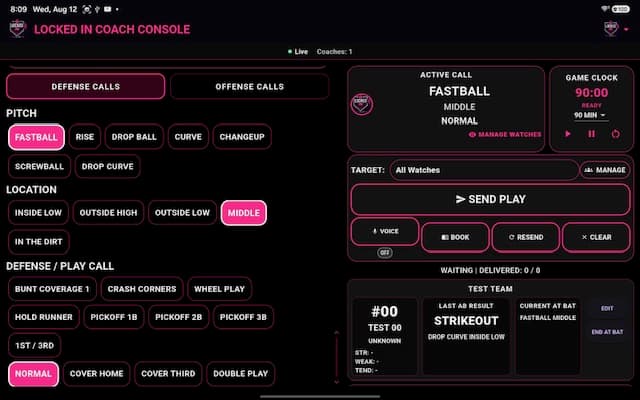
Real-Time Game-Day Communication
LOCKED IN gives coaches one place to build and communicate supported game instructions to player watches connected through the same local Wi-Fi or network workflow.
Pitch, location, offensive, and defensive instructions stay within the Coach Console, helping the staff work from a consistent game-day process.
Build the pitch and location instruction that fits the current situation.
Keep supported offensive instructions within the same game-day workflow.
Communicate supported defensive plays and positioning from the Coach Console.
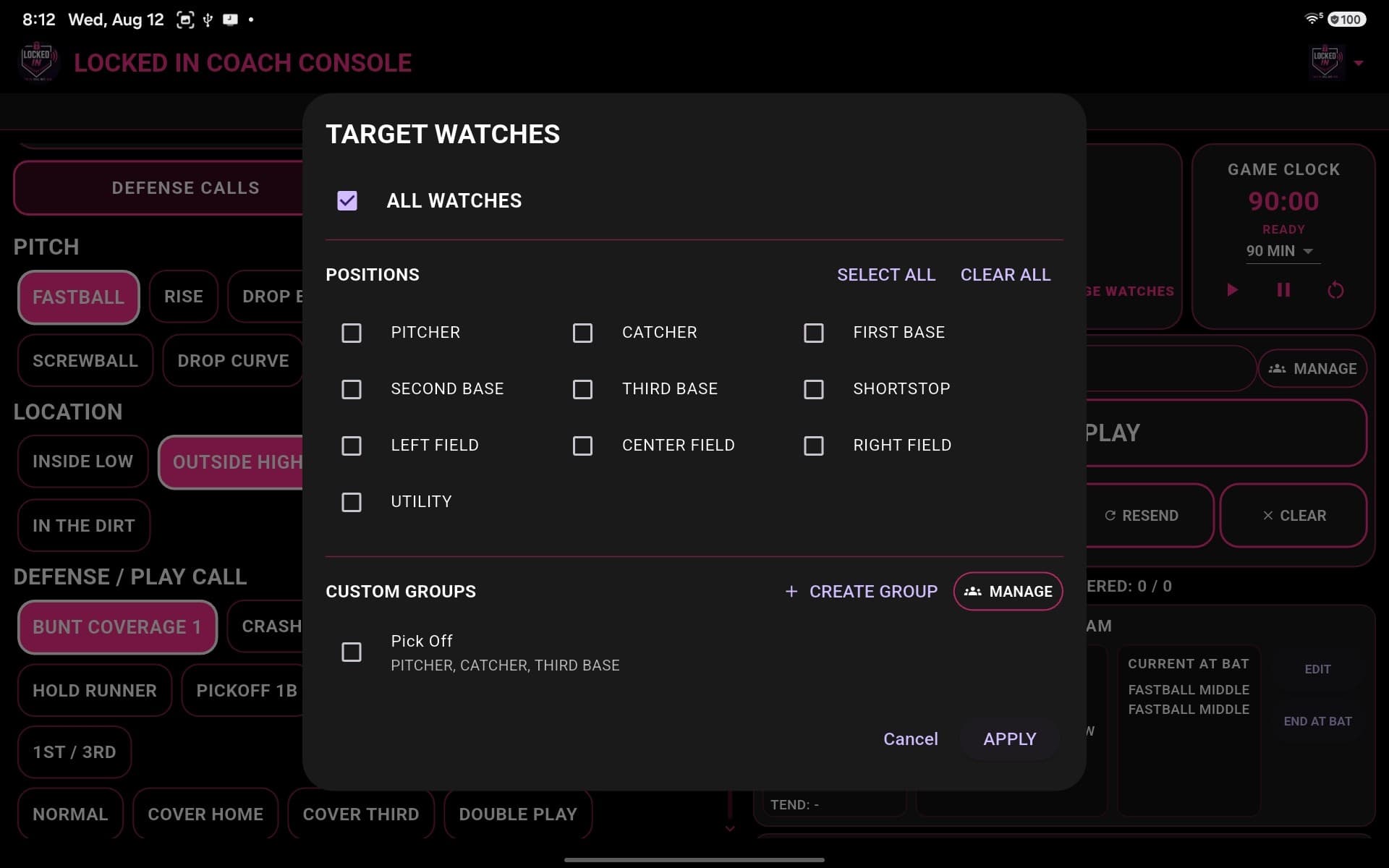
Targeted Communication
Not every instruction has to be sent to every player. LOCKED IN keeps recipient selection inside the game-day workflow so coaches can direct a supported call where it is needed.
Player Watch Experience
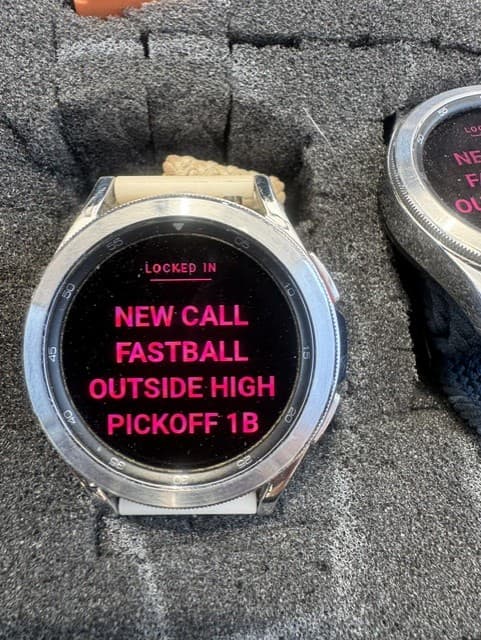
Connected players receive supported calls through the LOCKED IN watch app, giving them a focused view of the instruction selected by the coach.
Watches use the same local Wi-Fi or network workflow as the field-side setup, keeping the player experience connected to the active coaching session.
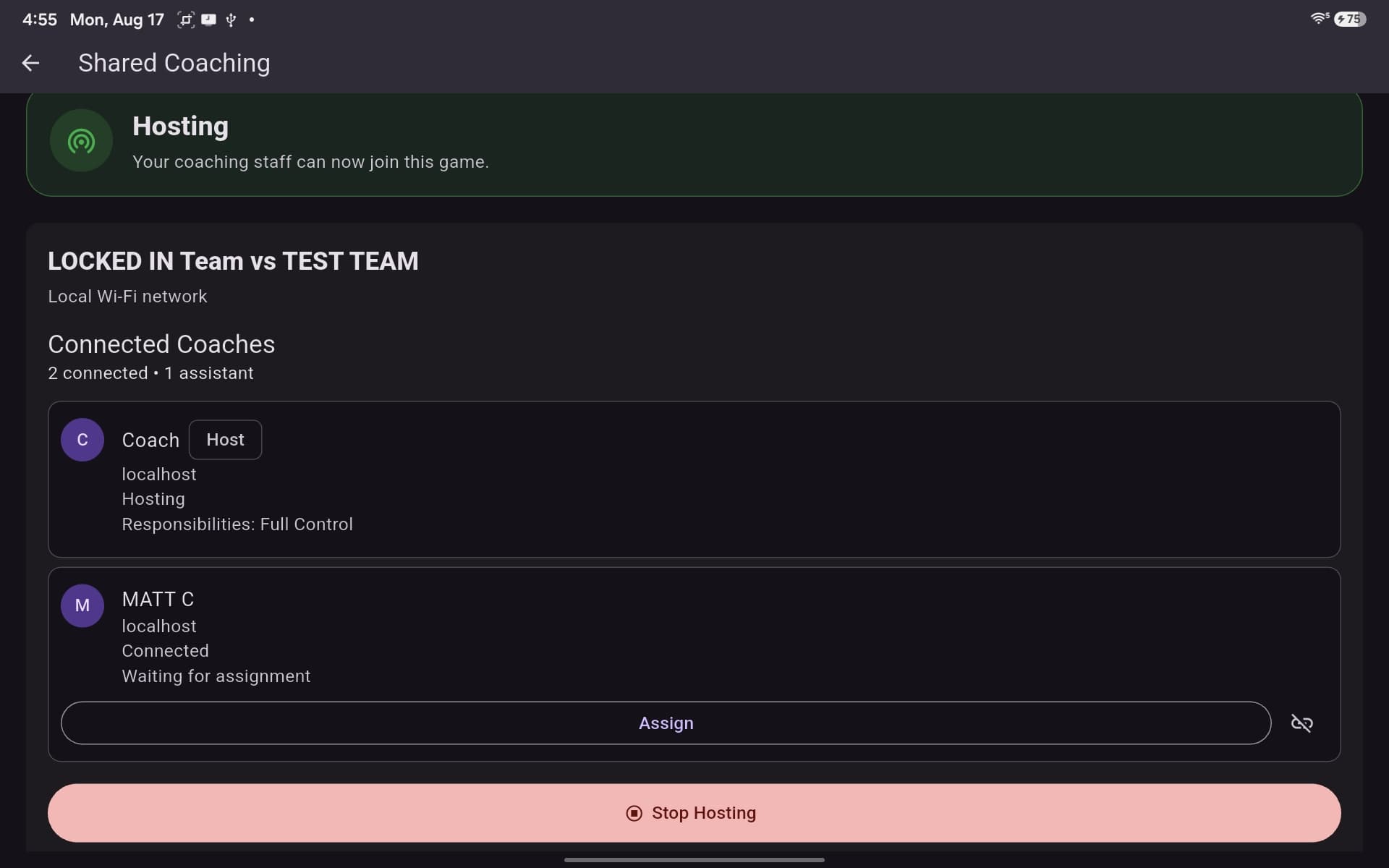
Shared Coaching
LOCKED IN supports a hosted coaching session where connected coaches can participate and the host can assign responsibilities within the session.
Opponent Scouting
Coaches can keep relevant opponent and batter information available as part of the coaching workflow, helping the staff review useful context without moving away from the game-day system.
Opponent Context
Keep the information the coaching staff is using alongside the tools used to prepare and communicate calls.
Batter Information
Review relevant batter information as part of the same broader coaching process used during the game.
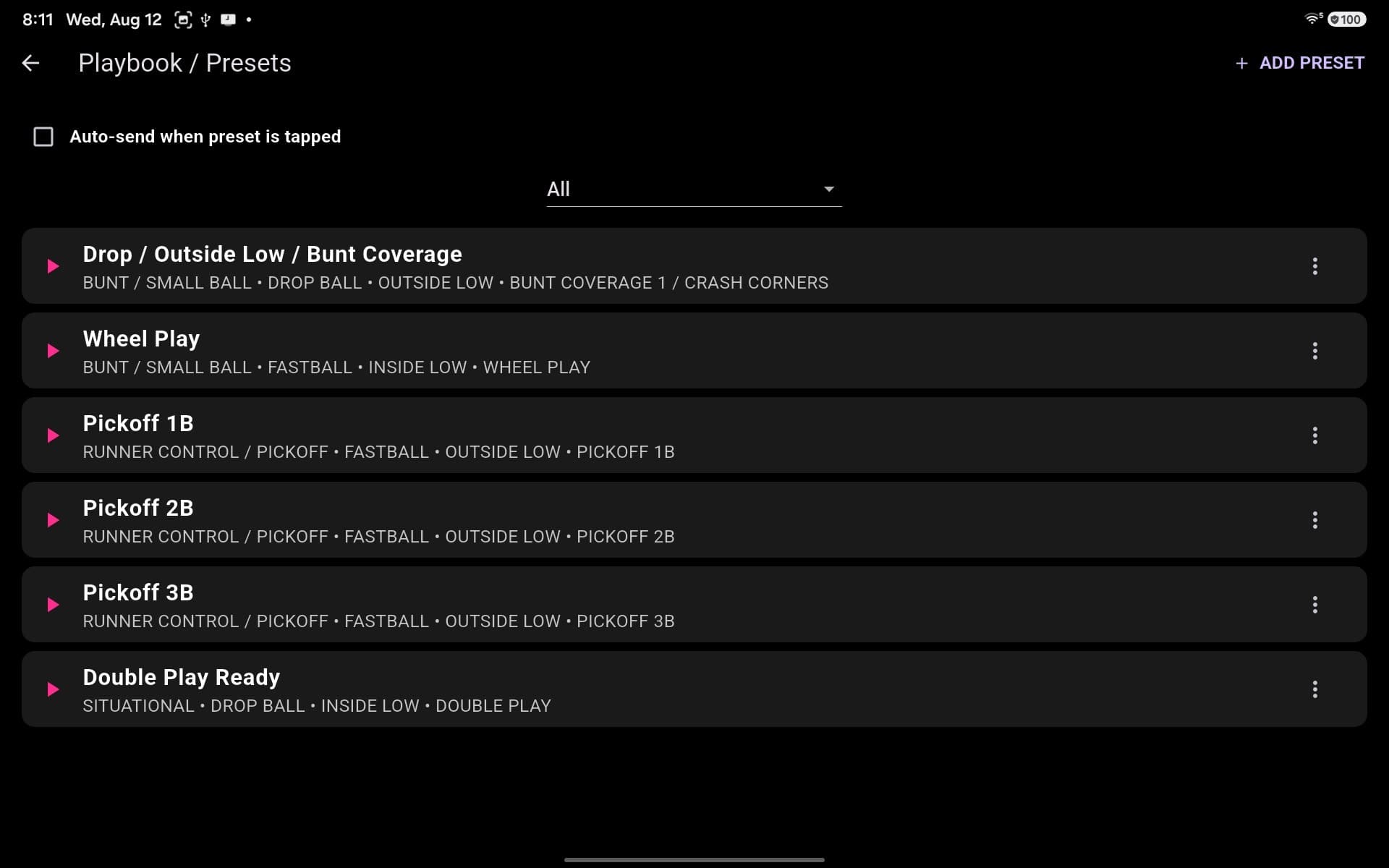
Playbook
The LOCKED IN Playbook keeps commonly used plays and presets available within the game-day workflow so coaches can return to familiar combinations when they fit the situation.
AI Assistance
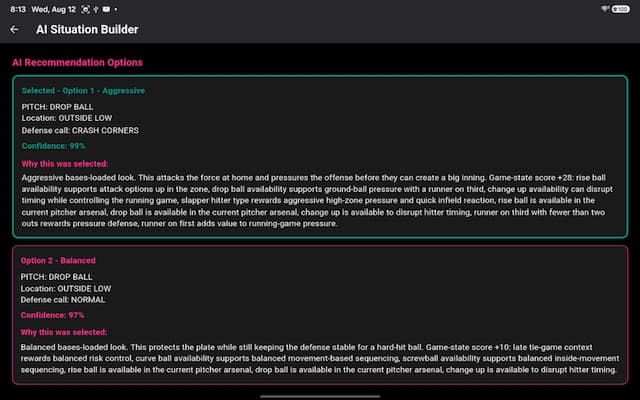
LOCKED IN can provide situation-based information and recommendations for the coach to review. The coach decides what fits the game and whether to act on it.
AI supports the decision process. It does not make the final game decision.
Built for Real Game Day Use
LOCKED IN connects its coaching tools to the pace and environment of real fastpitch use, keeping communication centered around the field-side setup.
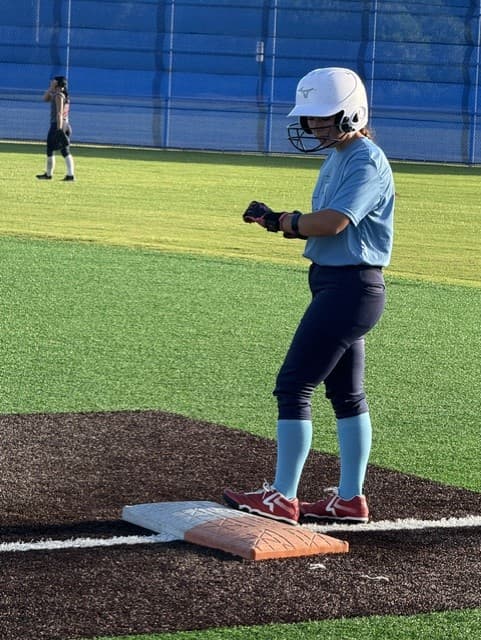
LOCKED IN has been used and tested during live tournament competition with real coaches and teams.
Explore LOCKED IN